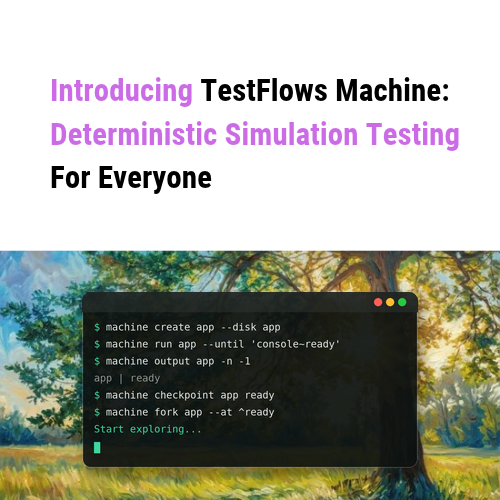
A self-serve deterministic simulation testing (DST) environment for developers and AI coding agents has been a long time coming, and today we’re introducing TestFlows Machine to make that vision a reality. Because for many teams, deterministic simulation testing has changed how some of the most reliable software systems are built and tested. It gives you control over software execution, lets you inject failures, and makes runs reproducible, enabling you to investigate bugs that might otherwise take days to reproduce, or never show up again at all. However, getting there has usually meant walking a steep path that starts with building a custom system yourself, specific to your project, or diving into the development of a deterministic hypervisor for a more generic approach. That takes specialized knowledge, infrastructure, and a significant investment, and most teams would rather spend that time and tokens on their own software. And our vision is different.
Our vision
We all see that software development is changing quickly, and AI coding agents now write, test, and debug most, if not all, of the software today. They can investigate a bug, propose a fix, and run the tests, but they still run into the same problem developers do, which is that software doesn’t always fail the same way twice. Race conditions, timing issues, and network failures don’t become easier to reproduce just because an agent is doing the debugging.
Our vision is to make deterministic simulation testing a natural part of the modern AI-driven development cycle. An agent should be able to reproduce a failure, step back through the execution, attach a debugger at the exact point where things went wrong, and try a fix against the same conditions. It should be able to inject faults precisely, compress execution time, and read logs after the fact with retroactive logging, without waiting for fuzzers. And you should be able to do all of that yourself, without having to build or maintain a deterministic hypervisor, or break your engineering budget to get access to systems that already provide this capability.
With TestFlows Machine, you can start doing that today.
Agent first, but for the human in the loop
DST gives you an enormous amount of control over execution, including which vCPU and thread runs and when (yes, we do support multiple vCPUs, cat /proc/cpuinfo after you get started), which system call fails, what time the machine sees, and where a run branches. That control is the whole point, but it is also what makes the technique hard to adopt, as few developers have the time to learn a new execution model, its vocabulary, and a long list of commands before they see their first result. Many engineers struggle to even remember all the GDB commands, and that is without adding time travel, branches, and support for more debugging commands that you can run from the outside without disturbing the system state.
AI coding agents don’t have that problem. They can read the code, the docs, and the command reference in seconds and drive Machine with precision, which is why we built Machine to be AI agent first. You install the Machine skill, ask your agent what Machine can do for your project, and it sets things up with you, signs in with a code from your email, and gets to work.
But agent first doesn’t mean we want to deliver an AI-driven black box. We want agents to do the heavy lifting, while developers stay in the loop and can see every step they take, repeat it, and take over at any point. That’s why the agent drives Machine through the same machine CLI client that a developer uses, and full programmatic control is available to both you and your agent through the Python SDK, which also lets you write your own custom fuzzers.
Name the bug, verify the fix
We believe the most valuable thing you can give an agent is fine-grained control over execution and fast feedback on its fixes. An agent that suspects a race shouldn’t have to start hours of fuzzing and hope for the best, as it can hold one thread at the exact line, run the other one through, and see the failure in seconds. It can then apply its fix, run the same interleaving again, and know that the fix holds, which turns a guess into a verified fix.
Fuzzing still matters once the bugs you can name are fixed and you need to search for the ones you can’t. Machine supports that today with plans and seeds, and with the Python SDK.
We walk through exactly what this looks like on a real example at the end of this post.
Beyond the deterministic hypervisor
We stand on the shoulders of prior art, and deterministic simulation testing is gaining momentum. We’re excited to see new deterministic hypervisor projects appearing in research and open source. We think that’s great, as more people working on deterministic execution means more innovation and more attention to a technology that has been out of reach for too long.
However, a deterministic hypervisor is only the foundation, and building a complete deterministic simulation testing system is a much bigger undertaking. You need to manage recordings, checkpoints, and branches, control execution, inject faults, debug failures, explore different schedules, and make all of that work together reliably, and then make it accessible through tools that developers and AI agents can actually use. The goal was never just to build a hypervisor but to make deterministic simulation testing practical for everyone, and that also takes the infrastructure to run it, as deterministic execution needs machines prepared for it. That’s why, with Machine, we run that infrastructure for you as a cloud service, where you create a session sized to your work when you need it, and you only pay while your sessions run.
Get started
We hope you are as excited about the future as we are. You can create a free account and have your first run in about five minutes, either on your own or together with your AI coding agent. Then head over to our public testflows/Machine repository on GitHub, where you’ll find the examples, the Python SDK, and the Machine skill for coding agents, and when you need more than the free plan gives you, take a look at our pricing.
We’d love to hear what you find, so come and share it with us in the repository’s Discussions.
What this looks like
To show what this looks like, take missed-wakeup.c, one of the examples in our public repository. Here are the waiter and the signaler of this simple C program, with their line numbers:
1 | 67 pthread_mutex_lock(&mutex); |
The race window is between lines 75 and 76, where the waiter has already seen done == 0 and dropped the lock. If the signaler runs lines 106 to 109 right then, the signal arrives before the wait on line 86 is armed, wakes nobody, and the waiter sleeps out its whole 50 ms timeout with done already set. On real hardware, that window is only a few instructions wide, so the failure shows up once in a while and, you can bet, almost never when you are looking for it.
Instead of running the program thousands of times, an agent reads the code and names that window as the suspect.
First, it creates a session with two vCPUs, so that both threads can run at once:
1 | machine sessions create --cpus 2 |
Then it builds the program with debug information and makes a disk from it that runs a single trial:
1 | gcc -O0 -g -static -pthread -o missed-wakeup missed-wakeup.c |
Next, it creates a run from the disk, focuses the program so that its threads can be steered, and runs the machine until the program has started:
1 | machine create mw --disk mw --cpus 2 |
Now, it sets a breakpoint on line 76 and runs until the waiter stops there. The process and thread IDs shown below are from our run and will differ in yours:
1 | $ machine break mw add 254 missed-wakeup.c:76 |
With the waiter in the race window, it holds it there, removes the breakpoint, and runs the signaler until it has sent its signal:
1 | $ machine tasks mw hold 273 |
Finally, it releases the waiter and lets the program finish:
1 | $ machine tasks mw release 273 |
The bug shows up on the first try. The agent then applies its fix, which rechecks done in a loop around the wait:
1 | - rc = pthread_cond_timedwait(&cond, &mutex, &ts); |
To verify the fix, it builds the fixed program into a disk of its own, mwfix, and creates a run from it the same way:
1 | gcc -O0 -g -static -pthread -o missed-wakeup missed-wakeup.c |
Now, it stops the waiter on the same line and holds it there:
1 | $ machine break mwfix add 256 missed-wakeup.c:76 |
Then it runs the signaler past its signal, which is now on line 111 because the fix added two lines, and releases the waiter:
1 | $ machine run mwfix --until 'tid=279:at=missed-wakeup.c:111' |
The same interleaving that broke the original now passes, and both runs are recorded, so you can replay either one, step through it, and see for yourself.